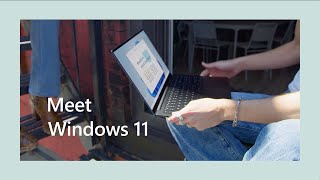
Please check all system requirements before purchasing. Check your computer compatibility with Windows 11
here
This version is designed for PCs that need a new license for Windows and meet the minimum system requirements for Windows 11. If your PC is running Windows 10 and you are unable to use Windows Update to install the free upgrade to Windows 11, you will not be able to install this version of Windows 11.
Windows 11 Pro With BitLocker, Hyper-V & Azure AD
Get a lifetime Windows 11 Pro license for one price—install it on your PC and you're set with no recurring fees and no subscription. This is the full Pro version of Windows 11, built for professionals who need enterprise-grade tools alongside the core Windows experience.
Unlike Windows 11 Home, Pro includes BitLocker device encryption for data security, Hyper-V for running virtual machines, Windows Sandbox for testing apps in an isolated environment, and Azure AD for business identity and access management. If you need any of these for development, IT work, or business use, this is the version you need.
You also get everything in the core Windows 11 experience: Snap layouts for multitasking, DirectX 12 Ultimate for gaming, biometrics login with TPM 2.0, and Copilot built into the taskbar to answer questions, summarize pages, and generate content on demand.
Before purchasing, check your PC's Windows 11 compatibility using Microsoft's PC Health Check app. This license is for PCs that need a new Windows license — if your PC runs Windows 10 and cannot use Windows Update to upgrade to Windows 11 for free, this version will not install.
WHY THIS DEAL STANDS OUT
-
BitLocker Encryption: Protect your data with full-disk encryption — standard for enterprise security and compliance.
-
Hyper-V & Windows Sandbox: Run virtual machines and test apps in an isolated environment without affecting your main OS.
-
Azure AD Support: Connect to business networks and manage identity through Microsoft's enterprise identity platform.
-
Biometrics Login & TPM 2.0: Sign in with facial recognition or fingerprint, backed by hardware-level security.
-
DirectX 12 Ultimate Gaming: Run the latest games at full hardware capacity with life-like graphics rendering.
-
Copilot Built In: Ask questions, summarize content, generate images, and write code directly from the taskbar.
-
Lifetime License: One-time purchase, no subscription. Install on 1 PC; license is non-transferable.
IMPORTANT: This is a digital purchase that will not be physically shipped. Digital deals are accessible via redemption process immediately after a successful purchase is made.
Have questions on how digital purchases work? Learn more here
Reviews